QuoteStore – Platform Overview
Audience: Everyone. Read this first, then jump to your role-specific guide.
QuoteStore (internally also called LiveQuotes) is a B2B micro-ecommerce platform for the commercial foodservice equipment industry. It lets dealers turn AutoQuotes (AQ) project exports into curated, buyer-facing online catalogs, and lets their buyer organizations shop, build orders, and check out on Open Credit through a structured approval workflow.
This documentation set is split by role:
| Guide | Who it’s for |
|---|---|
| Dealer Guide | Dealer admins, regional managers, and sales reps who manage catalogs, buyers, and orders |
| Buyer Guide | Buyer admins and buyer users who shop and place orders |
| Buyer Group Admin Guide | Multi-org buyers who manage several buyer organizations at once |
| Super Admin Guide | Platform operators who manage every dealer, buyer, and order |
1. The cast of characters (roles)
The platform has four top-level user types. Your role is stored on your login (Supabase Auth) and determines where you land after signing in.
| Role | Belongs to | Can do (in short) |
|---|---|---|
| Super Admin | The platform | See and manage every dealer, buyer, order, and product across all tenants |
| Dealer Admin | One dealer org | Full control of the dealer org: projects, buyers, team, orders, settings |
| Regional Manager | One dealer org | Works the buyer orgs in the districts of their assigned regions. Some dealers call this person a district manager. |
| Sales Rep | One dealer org | Works the buyer orgs in their assigned districts |
| Buyer Admin | One buyer org | Shop, approve/reject orders, manage org users, addresses, see all org orders |
| Buyer User | One buyer org | Shop and submit orders (may need buyer-admin approval); sees the org’s orders |
| Buyer Group Admin | One dealer org | Acts as a buyer admin of each buyer org assigned to them: shops, checks out, and approves orders in all of them |
Signing in
Everyone signs in on the QuoteStore home page. Enter the email address your invitation was sent to, plus the password you chose when you accepted it.
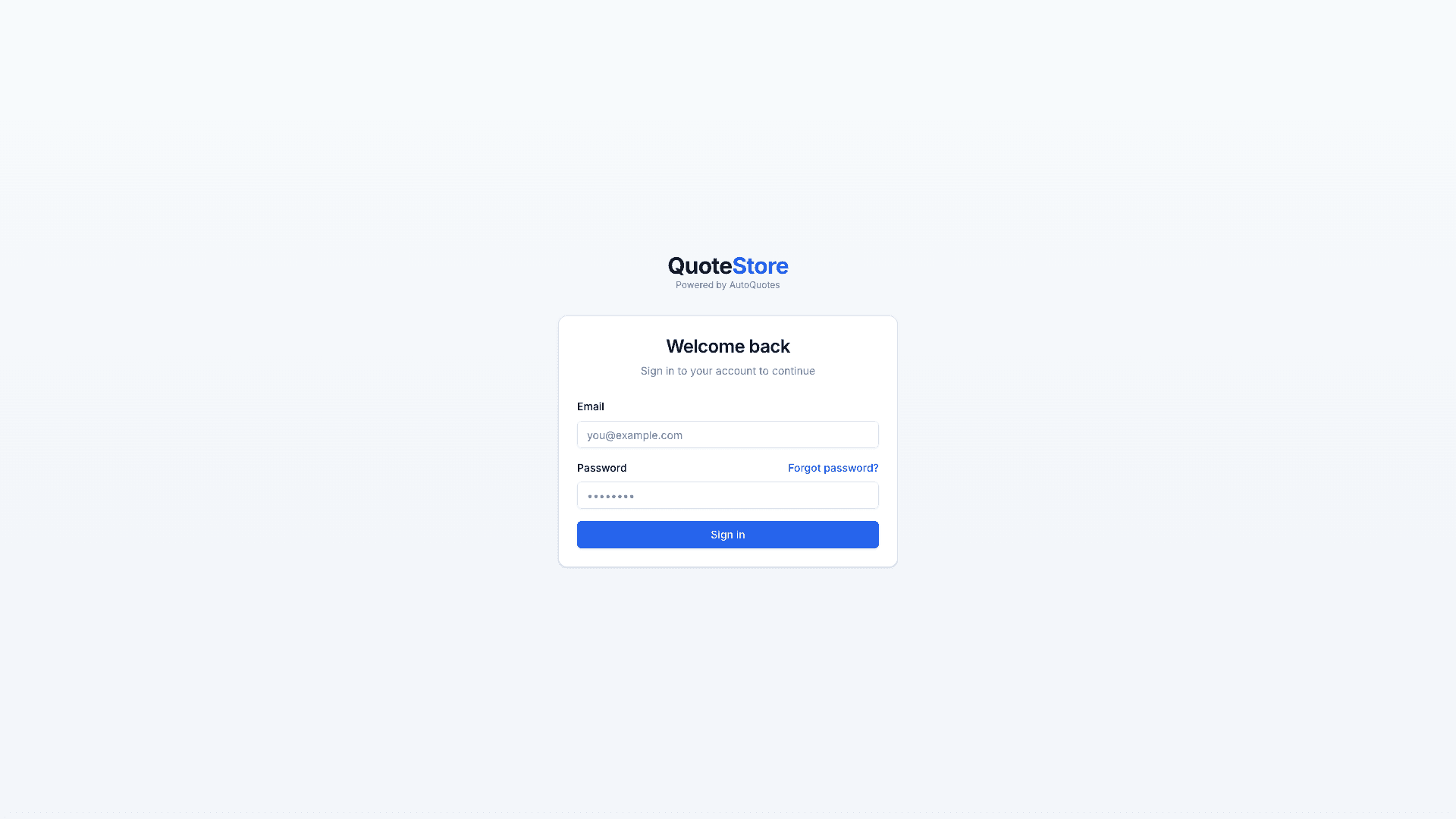
A dealer’s buyers may instead sign in on a page that carries the dealer’s own
name and logo — at a link the dealer puts on their website, or at the dealer’s
own web address such as order.theircompany.com. It is the same sign-in; only
the branding differs.
Forgot your password? Choose Forgot password? on the sign-in page and we’ll email you a reset link.
After login you are routed automatically:
- Super Admin →
/admin/dashboard - Dealer →
/dealer/dashboard - Buyer →
/catalog - Buyer Group Admin →
/buyer-group/dashboard
2. Core concepts
Projects (a.k.a. LiveQuotes)
A Project is a dealer-owned mini-catalog built from a single AutoQuotes (AQ) project. The dealer’s projects come in from AutoQuotes, which fills each with products, specs, and pricing. The dealer then links one or more buyer organizations to a project, and those buyers can see and buy its products.
- A dealer can have many projects.
- A buyer org can be linked to many projects.
- Projects come from AutoQuotes (a sync or an import). They are active or archived — there is no manual “create empty project”.
The product/feature was originally named LiveQuotes; the routes and screens now say Projects. You’ll see both terms in older material — they mean the same thing.
Reorder lists
Buyers save catalog products to reorder lists (/reorder-lists) to buy again later, all at once, or automatically on a schedule.
The unified buyer catalog
Buyers never think in terms of projects — they just see “the catalog.” When a buyer (or buyer group admin in an org context) opens the catalog, the system gathers products from every active project linked to their org and presents them as one browsable, filterable, searchable storefront. A product carried by several of those projects appears once, at the lowest of their prices. Search matches product name, model, manufacturer, and description (hybrid keyword + meaning).
The catalog also suggests related products on product detail, and Suggested for you on the cart and reorder lists. Up to two suggestion slots can be items that are in the broader catalog but not yet on that buyer’s quotes — those cards show Price on request so the buyer can ask the dealer to add the SKU.
The dealer’s brand
A buyer’s storefront is the dealer’s: it shows the dealer’s name and logo, not QuoteStore’s, on every page and on the emails buyers are sent. Dealers upload their logo in Settings.
Open Credit (how “payment” works)
There is no credit-card processing. Instead, each buyer org has an Open Credit limit and a running balance:
- Available Credit = Credit Limit − Current Balance
- Placing an order increases the balance (a hold against the limit).
- Cancelling or rejecting an order releases it. If the dealer changes an order, the hold follows the new total.
- When the dealer marks an order paid, its amount comes back to available credit.
- An order that exceeds available credit is blocked at checkout.
The order approval workflow
Orders move through a state machine that supports internal buyer approval, dealer review with regional/admin escalation, and a dealer↔buyer “request changes” negotiation loop.
The dealer can also request changes or reject an order from pending_regional_approval and pending_admin_approval, not only from review. Changes the buyer accepts come back to the dealer to be approved again; changes the buyer rejects are undone. On the Basic plan there are no regional or admin steps: any dealer user’s approval sends the order straight to processing.
Throughout the flow, dealers and buyers can exchange comments. New comments appear live on the order (no refresh). Dealers also have internal notes that buyers never see.
A dealer does not see an order at all while it is waiting on the buyer’s own admin. When a dealer approves an order they can mark lines on backorder, which the buyer sees on the order and in the approval email.
Notifications
Each step of an order tells the people on the other side, in the app (the bell, or Notifications for dealers) and by email: a new order, an approval, a rejection, requested changes, shipping, completion, and every message. Each person chooses what they receive under Notifications → Settings, with a switch per notification for In app and Email and one at the top for everything.
Master distributors and resellers
Some dealers buy from another dealer, a master distributor. Once QuoteStore connects the two, the reseller can place an order from one of its own buyers with its master distributor at net price, and the master distributor receives it among its ordinary orders. Each side sees only its own prices. See the Dealer Guide.
Immutable order history
When an order is placed, the system snapshots each product’s data and price at that moment. Later re-imports or price changes on a project never alter historical orders.
3. Architecture at a glance
- Frontend: Next.js (App Router) with React Server Components, shadcn/ui, and Tailwind.
- API: tRPC with end-to-end TypeScript types and Zod validation.
- Auth & DB: Supabase Auth and Supabase Postgres (with Row-Level Security).
- Commerce primitives: product catalog, carts, orders, and Open Credit ledger.
- Integrations: AutoQuotes Projects API (per-dealer catalog import) and AutoQuotes Products API (product names, images, spec sheets); Wasabi/S3 for stored reports and Supabase Storage for AutoQuotes project backups; Resend for email; Upstash Redis for rate limiting/caching; Trigger.dev for background jobs (project sync, product search indexing, auto-reorder, order email, analytics rollups); Turbopuffer for catalog search and recommendations.
| Area | Default URL path |
|---|---|
| Buyer storefront | /catalog, /cart, /orders, /reorder-lists, /account |
| Dealer portal | /dealer/* |
| Buyer group console | /buyer-group/* |
| Super admin console | /admin/* |
Continue to the guide that matches your role: Dealer · Buyer · Buyer Group Admin · Super Admin